Free AI Translator, on your device.
Translate text, documents, images and recordings with AI in your browser. Free, private, no account. Use offline with the required models cached.
Translate a whole file
Read books, work through documents, or translate subtitles. Choose your format and keep chapters, paragraphs, or timestamps together.
Translate a fileHow to translate long text and filesThe free AI translator that never uploads your text
LangsAny is a free AI translator for text, documents, images, subtitles and recordings. AI processing runs in your browser, so your content stays on your device. No account or daily quota. Offline use requires the models and page resources to remain cached.
- 100% Free AI Translator
- Free with no daily quota or subscription. Translate up to 5,000 characters at a time; split longer text into smaller passages.
- Offline AI Translation
- Download a model once and translate text without Wi-Fi — mid-flight, abroad without data roaming, or in disconnected work environments.
- Private & Confidential
- Your confidential contracts, legal paperwork, and medical records never leave your device. All processing stays local within your web session.
- Local Neural Models
- Powered by open-source Opus-MT neural models executed via WebAssembly. High quality translation without relying on external cloud APIs.
- 26+ Languages
- Translate smoothly between English, Spanish, French, German, Chinese, Arabic, Japanese, and dozens of other language pairs.
- Instant & Unlimited
- No API keys, no accounts, and no cooldowns. Open LangsAny in any tab and translate as many paragraphs or articles as you need.
How this free AI translator works offline
Select Languages
Choose your language pair, or let the built-in detector identify the input language automatically on your machine.
Cache Neural Model
On first translation, a compact translation model downloads to browser cache. Once cached, it works offline while the model and page resources remain stored. Clearing site data removes downloaded models.
Translate Privately
Type or paste your text. The engine processes every sentence locally with zero server requests.
Your free AI translator also reads documents, images and recordings
Switch to the Files tab and drop a file in. It is identified by its contents, translated on your device and handed back in a form you can use — nothing is uploaded on the way.
Documents and e-books
PDF · Word · PowerPoint · Excel · EPUB
Office files and e-books come back in their own format with the layout intact; PDFs come back as a side-by-side translation.
Subtitles and text files
SRT · VTT · TXT · Markdown · CSV · JSON
Timestamps, markup and structure stay exactly where they were — only the words change.
Images and scans
PNG · JPG · WebP · screenshots · scanned PDFs
Text is read with on-device OCR and the translation is drawn back onto the picture. Paste a screenshot straight in.
Audio and video
MP3 · WAV · M4A · MP4 · WebM · MOV
Speech is transcribed by Whisper in your browser and turned into bilingual SRT or VTT subtitles.
A free AI translator that works with or without internet
Most web translation tools route every sentence you paste through third-party cloud servers, imposing strict character limits or monthly fees. LangsAny is a free AI translator built on a different premise: modern browsers can run neural translation models on your own machine. This makes translation free without quotas, private without NDAs, and accessible anywhere.
Once a language model is cached, translations respond instantly without Wi-Fi. You can translate confidential contracts, medical records, or travel itineraries mid-flight without risking data leaks.
Translate as often as you need across supported language pairs, with up to 5,000 characters in each text request. When translating between non-English languages, it automatically routes through English using two on-device models.
How an in-browser tool translates offline
LangsAny is an in-browser free AI translator with no desktop software or browser extensions to install. You access it via a standard URL, yet all translation computation executes strictly on your local processor.
The website serves as the user interface, while WebAssembly runs the neural engine. That simple boundary is why translation remains free, confidential, and fully operational when your internet connection drops.
Private by architecture, not by policy
- Zero Upload by Design
- Your text physically cannot reach our servers — the translation engine runs in your browser, not in the cloud. Open DevTools → Network and verify it yourself.
- No Accounts, No Tracking of Content
- Use the translator without signing up. We never see, log, or store anything you translate.
- Safe for Sensitive Documents
- Contracts, medical notes, internal emails — translate them without the compliance risk of sending data to a third-party translation API.
What to know before you start
- 5,000 characters at a time
- The counter under the box is the whole limit, so a long article goes through in pieces. Whole documents keep their layout in the PDF translator.
- Two non-English languages travel through English
- Chinese to French is really Chinese to English to French, two local models in turn. It works, and idiom can thin out at either hop.
- Long, nuanced writing is where cloud models still lead
- For everyday sentences the gap is small. For a subtle argument, a compact model running on a laptop is the weaker reader of the two.
- The first run on an older phone is slow
- A model has to be fetched and compiled before a single word is translated, and a low-memory device falls back to a slower processor path.
- A reading aid, not a certified translation
- Everything here is machine-made and unreviewed. Have legal, medical or official text checked by a qualified professional.
From the blog
The what, why, and how of free local translation — explained in plain language.
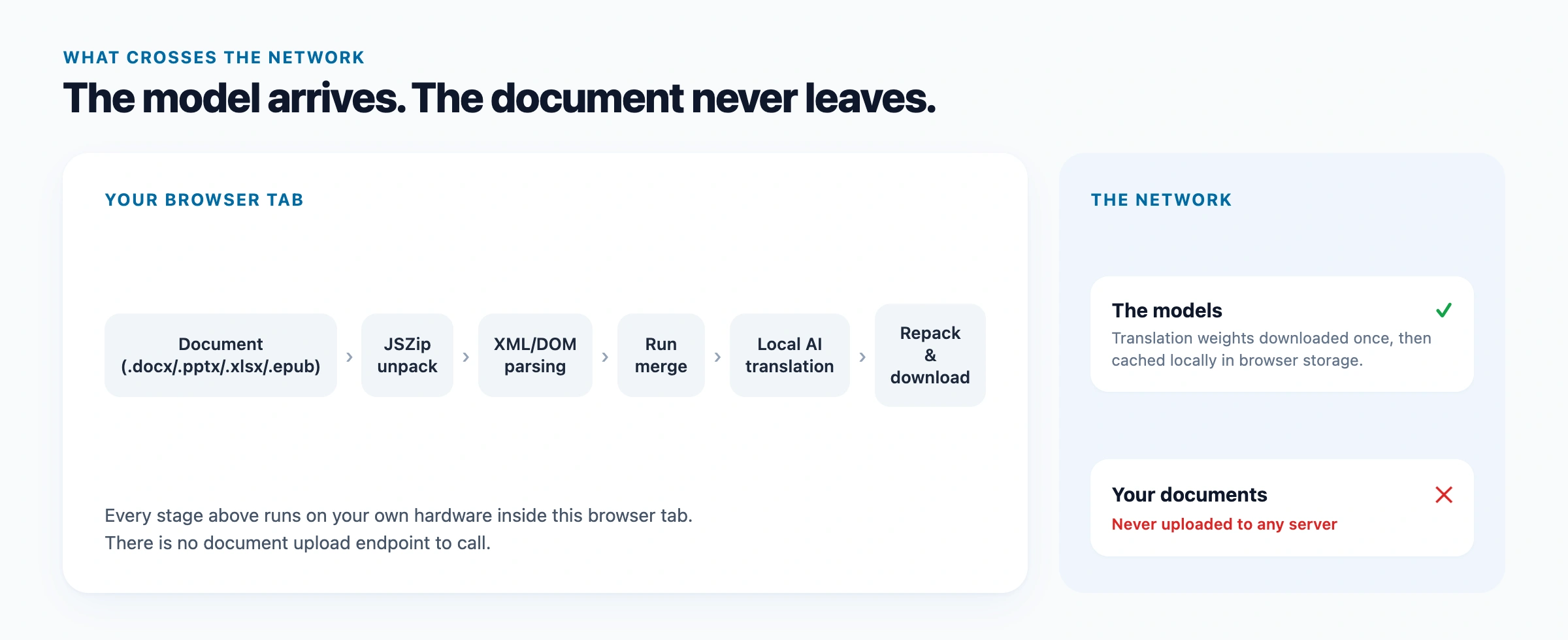
How to Translate Long Text
Translate long text with no daily quota. Understand the 5,000-character request limit, choose a TXT, PDF, Word or EPUB tool, and prepare for offline use.
5 min read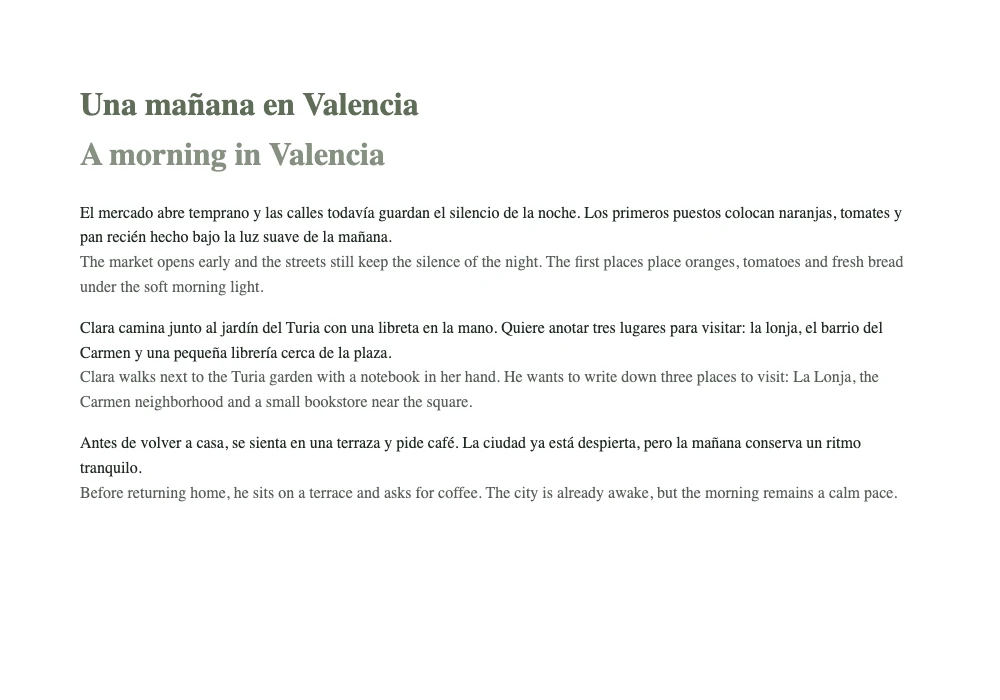
Translate a Bilingual EPUB
Translate a DRM-free EPUB into a bilingual book. Try the Spanish sample, compare the actual export, and learn what to check before translating a whole book.
5 min read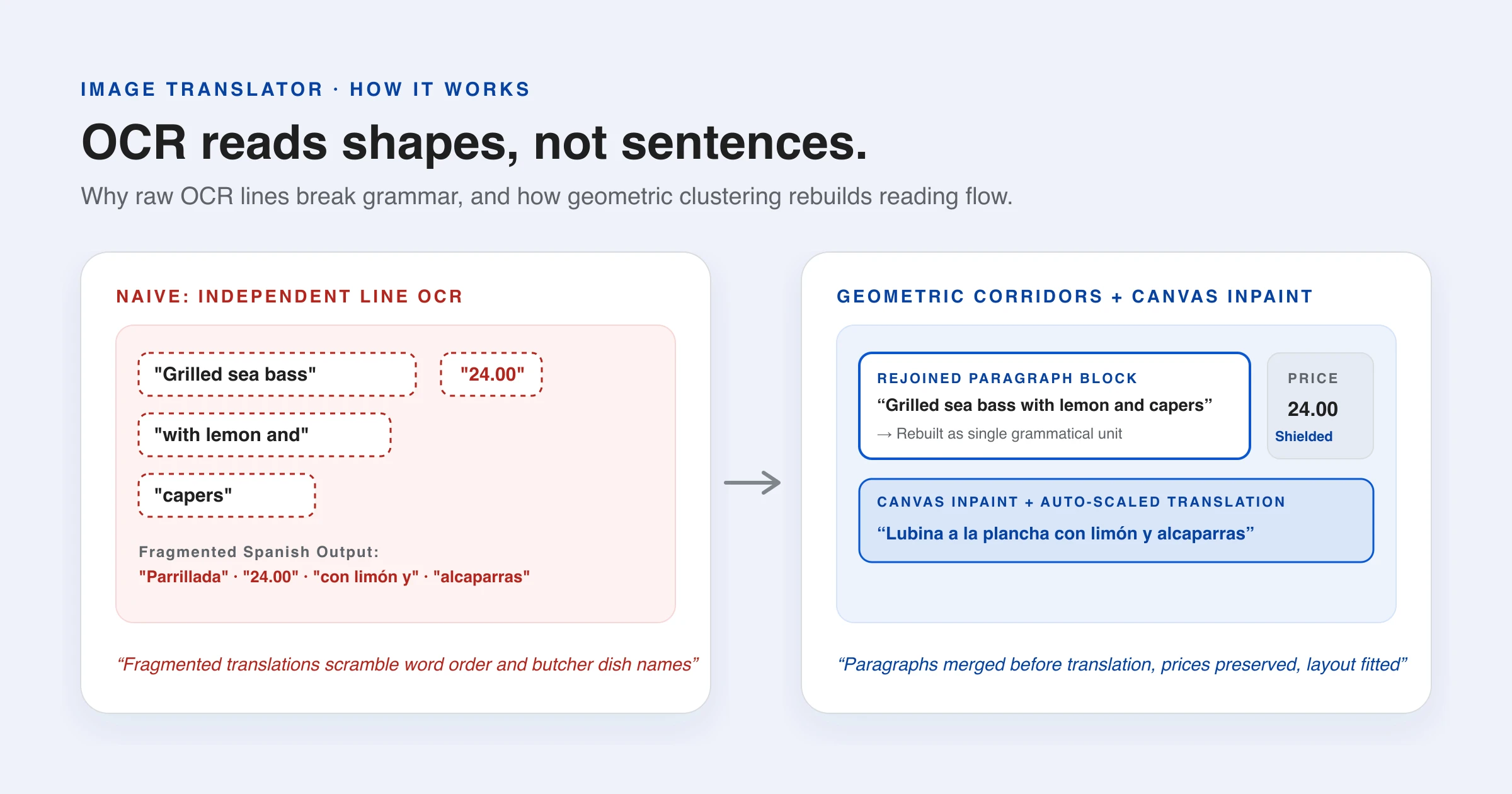
How Image Translation Works: Mobile Photos, Batch Files & Screenshots
How in-browser image translation works across batch files, mobile camera photos, and clipboard screenshots. OCR, canvas inpainting, and zero-upload privacy.
9 min read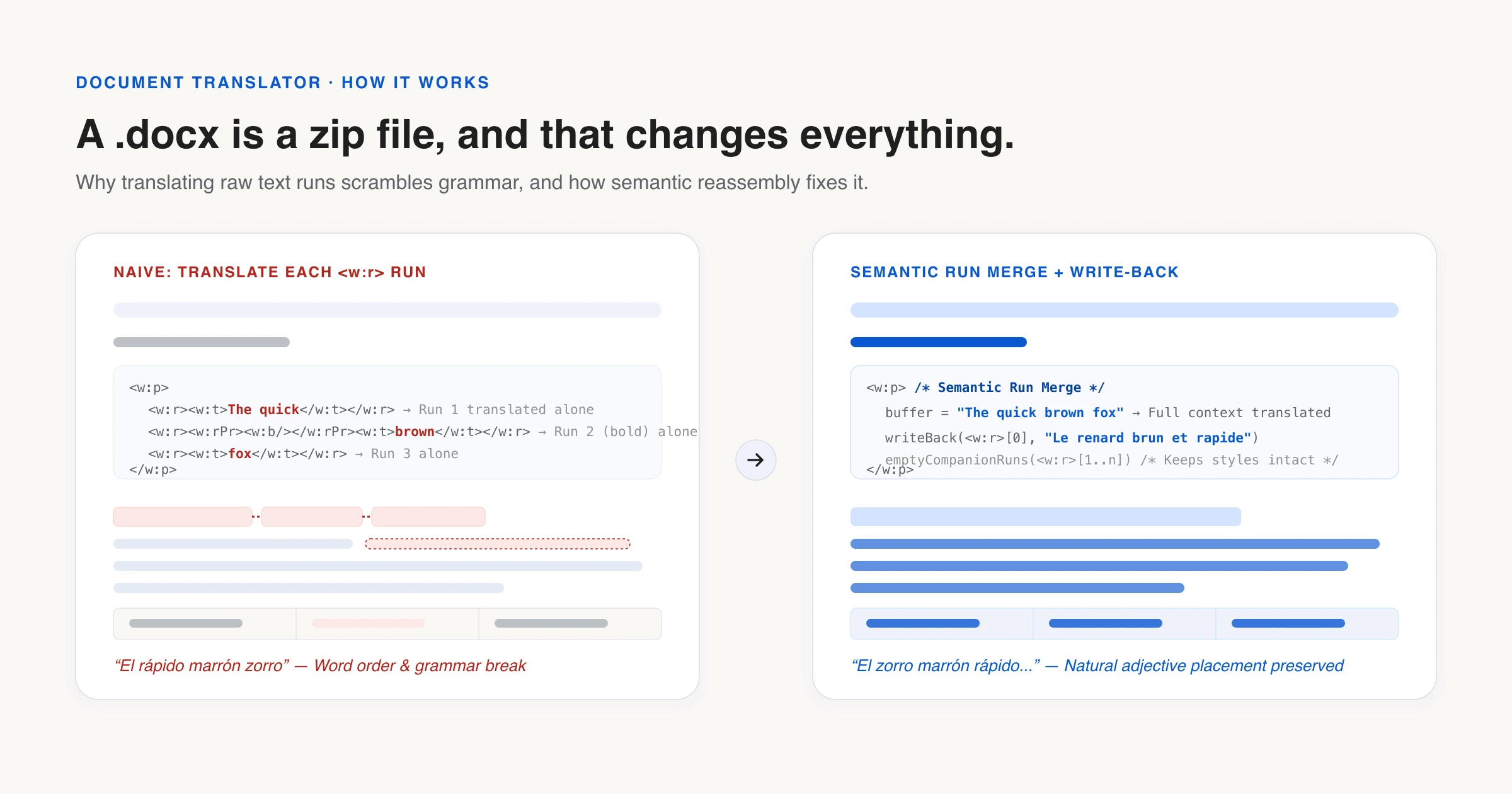
How Document Translation Works: Word, PowerPoint, Excel & EPUB in Your Browser
How our document translator handles Word, PowerPoint, Excel and EPUB locally: the zip trick, format preservation, batch workspace, and on-device AI.
9 min read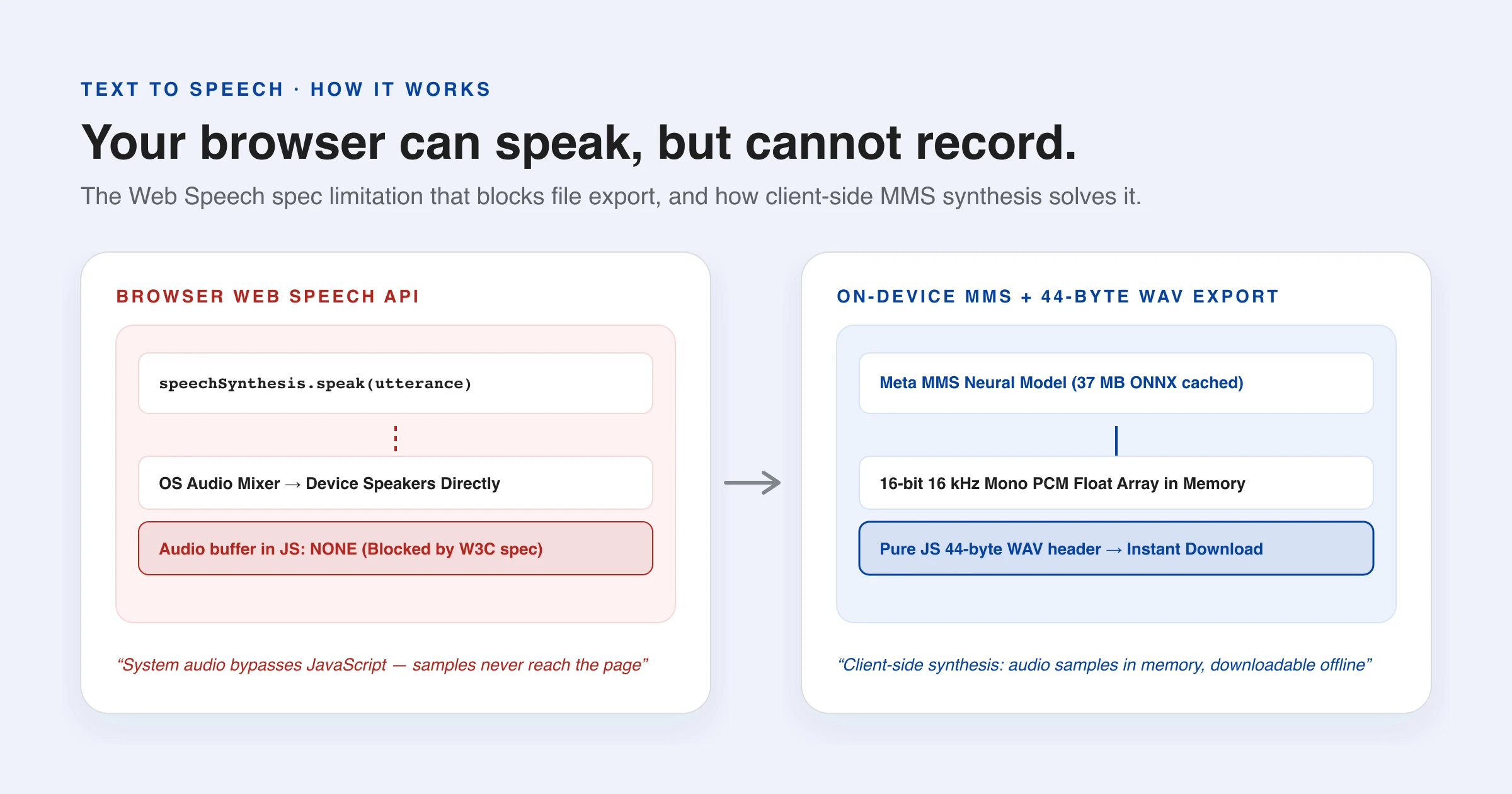
Why Free Text to Speech Tools Cannot Give You a File
Every browser can already speak. So why does no free text to speech tool let you download the audio? The answer is one line of the Web Speech spec.
6 min read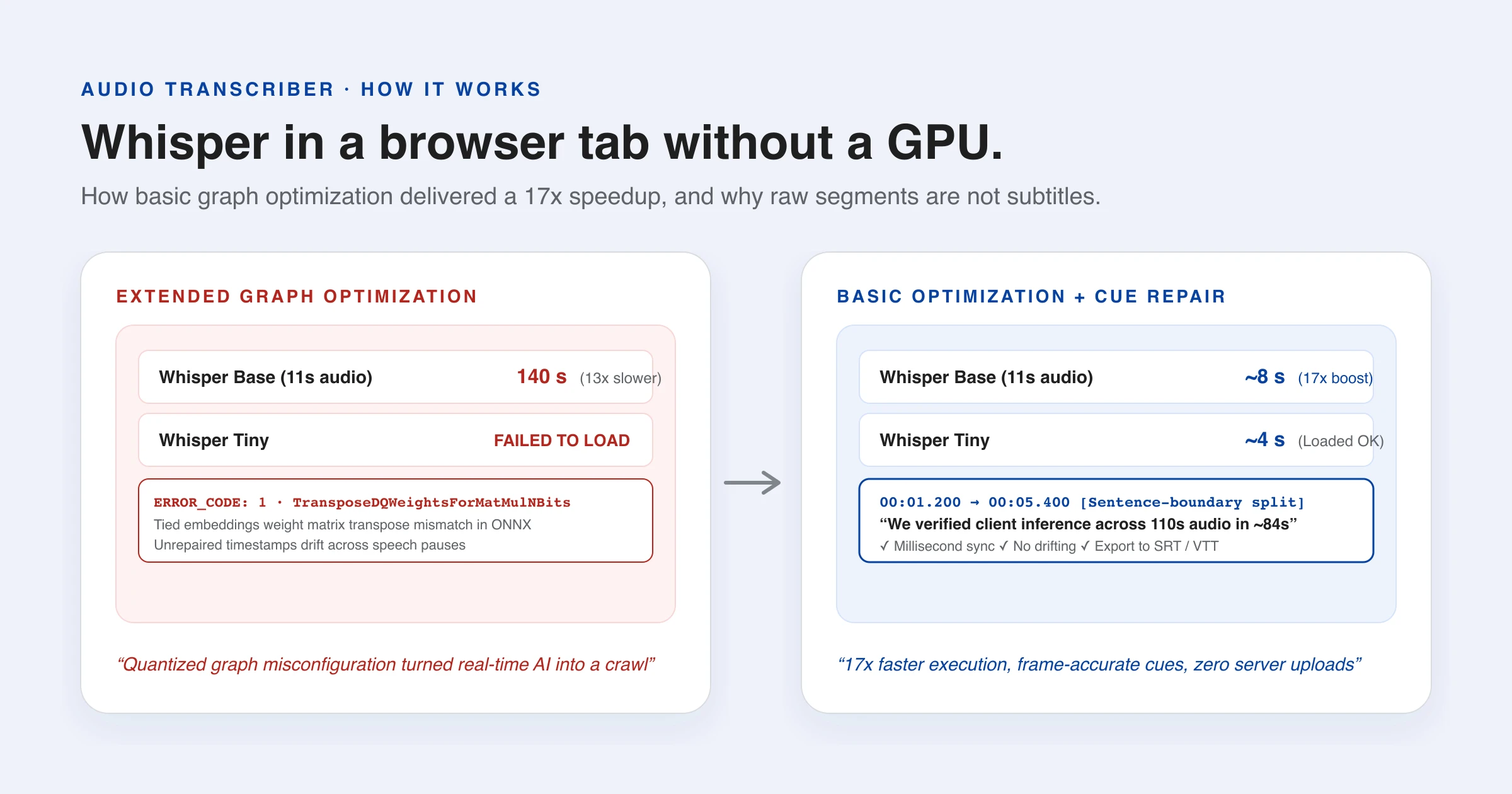
Running Whisper in a Browser: What It Actually Takes
Whisper transcribes speech in the browser with no server at all. How it is fast enough, why raw segments are not subtitles, and the one setting worth 17x.
8 min readFrequently asked questions
What is a local free AI translator?
LangsAny is a free AI translator for text, documents, images, subtitles and recordings. AI processing runs in your browser, so your content stays on your device. No account or daily quota. Offline use requires the models and page resources to remain cached.
Is this free AI translator really free?
Yes. There is no daily quota or subscription. Each text request supports up to 5,000 characters. For longer text, translate sections or use the file tools below. Processing runs on your device.
Can I translate a PDF or Word document for free?
Yes. Open the Files tab and drop in a PDF, Word, PowerPoint, Excel, EPUB, subtitle or text file. It is translated on your device and returned in its original format — PDFs as a side-by-side translation — without being uploaded anywhere.
Can it translate images and audio too?
Yes. Photos, screenshots and scanned PDF pages are read with on-device OCR, and recordings or videos are transcribed with Whisper and turned into bilingual subtitles. Each model downloads once and is cached, so later files work offline.
How large can a file be?
Everything runs in your browser, so the ceiling is your device's memory rather than an upload quota: up to 30 MB for a PDF, 40 MB for Office files and e-books, 12 MB for images and 200 MB for audio or video.
How can a free AI translator work offline?
When you first translate a language pair, a compact neural model (50–120 MB) is cached in your browser. The web application is also cached offline via Service Worker, allowing you to translate on airplanes, subways, or anywhere without a network connection.
Is my text private with this free AI translator?
All translation happens on your device using WebAssembly. Your words are never transmitted to external servers or third-party APIs. You can confirm this anytime in your browser DevTools (F12) → Network tab: no outbound requests carry your text.
What AI technology powers the translation?
LangsAny uses open-source neural machine translation models from the Helsinki-NLP Opus-MT project, executed in the browser with Transformers.js. In supported Chromium browsers, it can also use Chrome on-device translation API.
How does local AI translation compare to Google Translate or DeepL?
Results vary by language pair, content and model. Compare a sample with the original rather than assuming the same quality as a cloud service. Check names, numbers and specialist terms before relying on a translation.
Which languages are supported?
LangsAny supports 26 major languages including English, Spanish, French, German, Chinese, Japanese, Korean, Arabic, Portuguese, Italian, Russian, and Dutch, with automatic intermediate pivoting for non-English pairs.
Do I need to install anything to use it?
No installation, browser extensions, or user accounts are needed. Simply open the URL in any modern browser, and you can translate immediately.
Does it work on my phone?
Yes. It runs smoothly on modern mobile browsers (Chrome, Safari, Firefox). Once a model is cached, mobile translation works offline without consuming cellular data.
Why private translation matters goes through what you actually hand over when a translation is done on somebody else’s server.
Translate text with our free AI translator
No signup or daily quota. Translate up to 5,000 characters at a time with local on-device AI and zero text uploads.