Software localization & i18n
Translate JSON translation message files for apps and websites while maintaining key structure and nested formatting.
Translate subtitles, Markdown, text, CSV and JSON files directly on your device with syntax intact. Zero uploads, offline ready, and 100% private.
Drop your files here
or click to choose files from your device
Around 40 MB per file on this device · Zero upload
Free to use · No account · No file upload · Offline after model download
A file translator converts text within structured documents without corrupting syntax tokens, formatting tags or delimiters. Instead of stripping your files down to plain text and losing layout, it parses files in memory and rebuilds valid output files.
From video subtitle cues and software localisation files to documentation and data tables, each format has unique parsing rules so code fences, timestamps and JSON keys remain pristine.
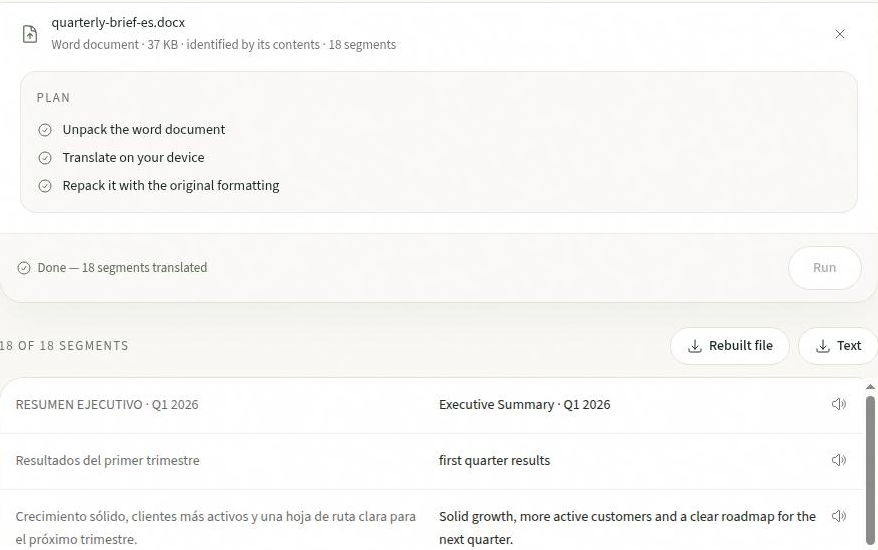
Three steps, from raw structured files to translated output.
Drop up to 20 files into the panel, including .srt, .vtt, .md, .txt, .csv or .json files.
Select source and target languages. Toggle optional settings like bilingual output or cue rejoining.
Download translated files individually or bundle everything into a single ZIP archive.
Structured formats are parsed into syntax-safe translation units and reconstructed.
Timestamps, cue numbers and WebVTT headers are preserved byte for byte. Sentence rejoining prevents fragmented grammar.
Code blocks, blockquotes, inline links, lists and table syntax remain intact while prose paragraphs are translated.
Translates cell text while preserving table grid delimiters and quotes. Numbers, formulas and headers can be kept untouched.
Keys, nesting and indentation are preserved unchanged. Only translatable string values are updated, ideal for i18n workflows.
Need full Word or PDF document translation with preserved layout? Check the document translator or PDF translator.
Streamline localization workflows without risking file corruption or data leaks.
Translate JSON translation message files for apps and websites while maintaining key structure and nested formatting.
Translate survey responses, product catalogs and CSV descriptions while preserving formulas and numerical columns.
Translate Markdown files and README guides while keeping code snippets, links, headers and formatting clean.
Translate SRT and VTT captions with frame-accurate timecodes intact, optionally generating bilingual learning subtitles.
Proprietary data, private keys, client databases and internal documentation must never be uploaded to third-party web scrapers or cloud APIs.
This file translator executes models directly inside your browser tab via WebAssembly. Read why private translation matters.
Frequently asked questions about file formats, syntax handling and security.
A file translator translates the human-readable text inside structured files while preserving their code syntax, markup and layout. It parses subtitles, Markdown, spreadsheets and JSON files in your browser, translates phrases with local AI models, and rebuilds downloadable files in their native formats.
Drop your files into the panel above, select your source and target languages, and click Translate. The file translator runs entirely within your browser tab via on-device WebAssembly models. No copy of your files or data ever leaves your computer.
This tool handles subtitles (.srt, .vtt), Markdown (.md), plain text (.txt), spreadsheets (.csv, .tsv) and localization catalogues (.json). Files with unrecognised extensions are parsed safely as plain text paragraph by paragraph.
Yes. Markdown code blocks, headings, lists, table pipes, CSV quotes and JSON nesting structures are carried through untouched. Only translatable prose strings are passed to the translation engine.
Yes. Once a language pair’s model has downloaded and cached in your browser storage, you can translate files completely offline without an active internet connection.
Yes. You can add up to 20 files at once. They are processed sequentially to keep memory usage low, and you can download files individually or all together in a single ZIP archive.
Yes. Because all computing occurs client-side without API calls to remote translation servers, confidential spreadsheets, internal documentation and proprietary JSON keys remain completely private.
Bring your subtitles, Markdown, CSV or JSON files and get structured translations on your device without uploads.