Why We Built a Free Translator That Never Uploads Your Text

Here is an uncomfortable fact about the way most of us translate: every sentence you paste into a typical web translator is uploaded to someone else's computer. It may be logged. It may be retained. Under some free services' terms, it may even be used to improve their systems. For most people, most of the time, nobody looks and nothing happens. But “probably nobody looks” is a strange foundation for translation privacy.
Who actually needs private translation
| Who | What they translate | Risk with upload-based tools |
|---|---|---|
| Lawyers & paralegals | Contracts, filings | Confidentiality obligations violated by upload |
| Doctors & patients | Medical records, results | Health data on third-party servers |
| Companies | Internal email, unreleased docs | Compliance breach; many firms ban translation sites |
| Journalists | Source material | Source protection compromised |
| Individuals | Immigration & personal papers | Sensitive life documents leave your control |
Notice the pattern: the more sensitive the text, the more likely you need it translated — and the less you want it uploaded. That is the private translation paradox, and upload-based tools cannot solve it, only promise about it.
Policies are promises. We wanted proof.
Most translation providers publish privacy policies, and many are sincere. But a policy is a promise about what a company will do with data it receives. We built LangsAny on a stricter idea: real translation privacy means the service is architecturally incapable of misusing your text, because it never receives it. The model is downloaded to your browser and runs on your device (compiled to WebAssembly and executed with Transformers.js). There is no server-side translation code, no request carrying your words, nothing to log and nothing to leak.
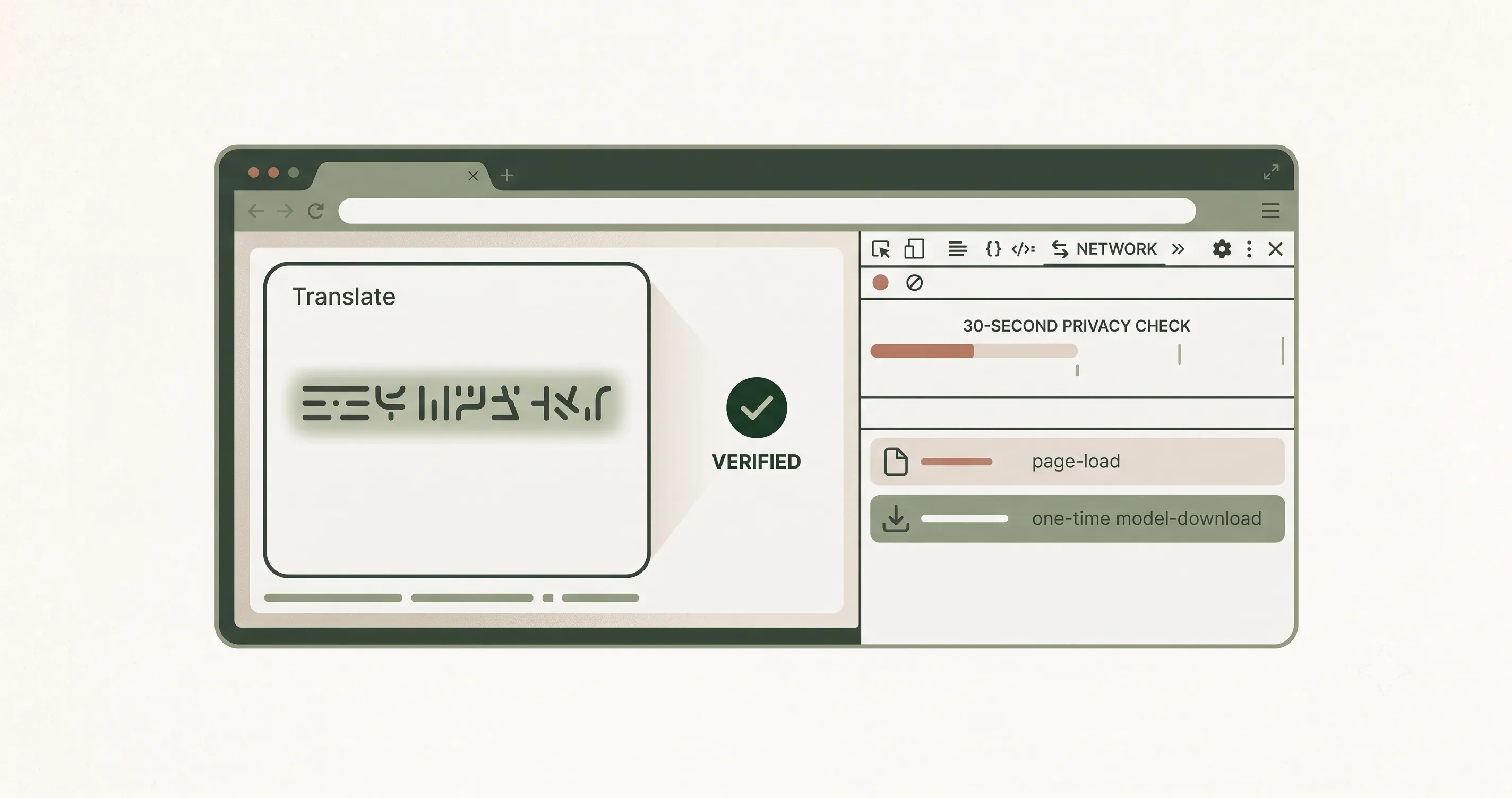
Verify private translation yourself, in 30 seconds
- Open your browser's developer tools (F12) and switch to the Network tab.
- Type something distinctive and hit Translate.
- Watch the request list: you'll see the page and — at most — a one-time model download. Your text appears in no request, because no such request exists.
The happy accident: privacy made it free and offline too
We started from private translation, but the same architecture solved two more problems. Because your device does the computing, we have no per-request costs — so you can free translate with no character limits, no daily quotas, and no account. And because the model lives in your browser's cache, translation keeps working with no internet at all. Private, free, and offline are not three features; they are three consequences of one decision about where the computation lives.
What we give up by choosing this design
Fairness demands the other side of the ledger. Running translation on your device means we cannot offer the absolute peak quality of massive cloud models on long literary documents, and the first translation of a new language pair costs a model download that a server-based tool doesn't need. We think that trade is obviously right for sensitive text — and surprisingly good for everyday text too. But it is a trade, and you deserve to know both sides before you choose a translator.
Who this is for
Anyone, honestly — free translate with private translation has no downside for casual use. But it was built with particular people in mind: the paralegal with a foreign-language contract, the traveler with no data plan, the journalist protecting a source, the employee whose IT department blocks translation sites. If your text deserves better than “probably nobody looks”, this translator was built for you — and translation privacy here is not a setting you enable, it is the only mode that exists.
References & further reading
- 01Inspect network activity — Chrome DevToolsdeveloper.chrome.com/docs/devtools/network
- 02Transformers.js — run AI models in the browserhuggingface.co/docs/transformers.js
- 03WebAssembly — official sitewebassembly.org/
Try private translation
Translate completely offline with on-device AI. Your text never leaves your browser.
Open the translator