Untranslated international literature
Read books, memoirs and non-fiction titles that have never received an official commercial translation in your language.
Translate a DRM-free EPUB on your device, keep its chapters, and download a translation-only or bilingual book.
Drop your EPUB book files here
or click to choose files from your device
Around 40 MB per file on this device
Keep the Spanish paragraph, then read its English translation below. Or choose a translation-only book.
This reading example uses a paragraph from the sample EPUB and an authored English translation. Your generated wording and e-reader styling will vary. This preview does not change the export setting in the tool.
Download the Spanish sampleEl mercado abre temprano y las calles todavía guardan el silencio de la noche. Los primeros puestos colocan naranjas, tomates y pan recién hecho bajo la luz suave de la mañana.
The market opens early, and the streets still hold the silence of the night. The first stalls set out oranges, tomatoes and freshly baked bread in the soft morning light.
Follow the bilingual EPUB walkthrough for the sample book, an actual exported result and a checklist of translation errors to review.
This is the actual Spanish-to-English sample export, opened in a browser. The original and generated translation stay in the same chapter.
Treat the wording as a reading draft: the example includes errors worth checking against the original.
Download this bilingual EPUB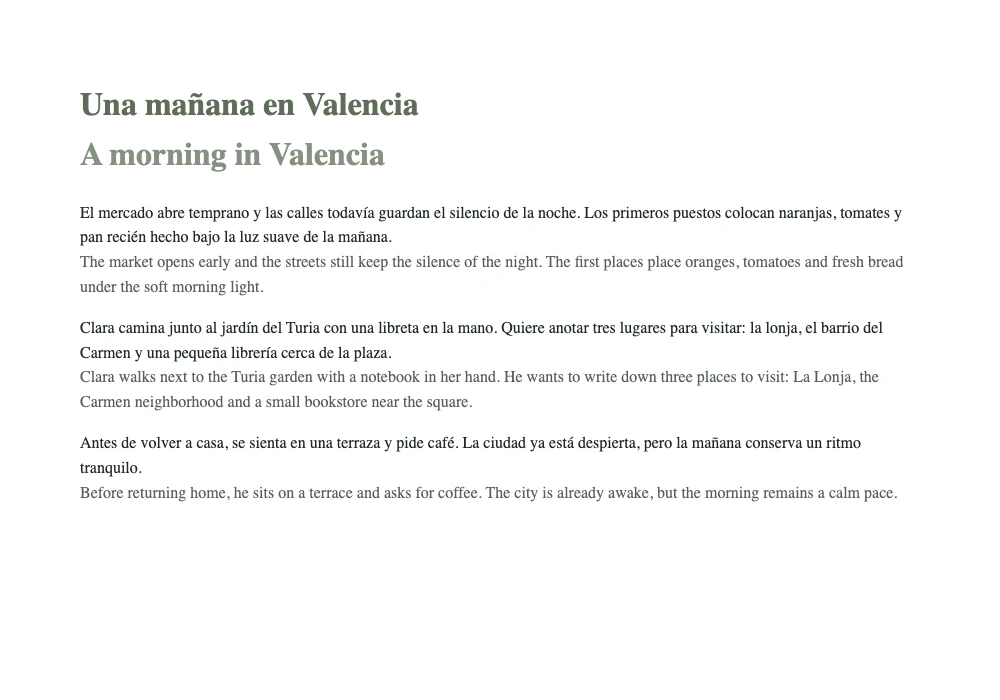
An EPUB translator translates an entire book while preserving its digital publication structure. Rather than copying paragraphs into web translation forms, you open an EPUB file and receive a rebuilt book compatible with Apple Books, Calibre, KOReader and Kindle.
An EPUB is fundamentally a small website packaged inside a zip container: XHTML documents, a CSS stylesheet and a package manifest. This tool translates the text nodes within the book while keeping the navigation spine and styling undamaged.
Three steps, from your original electronic book to a translated edition.
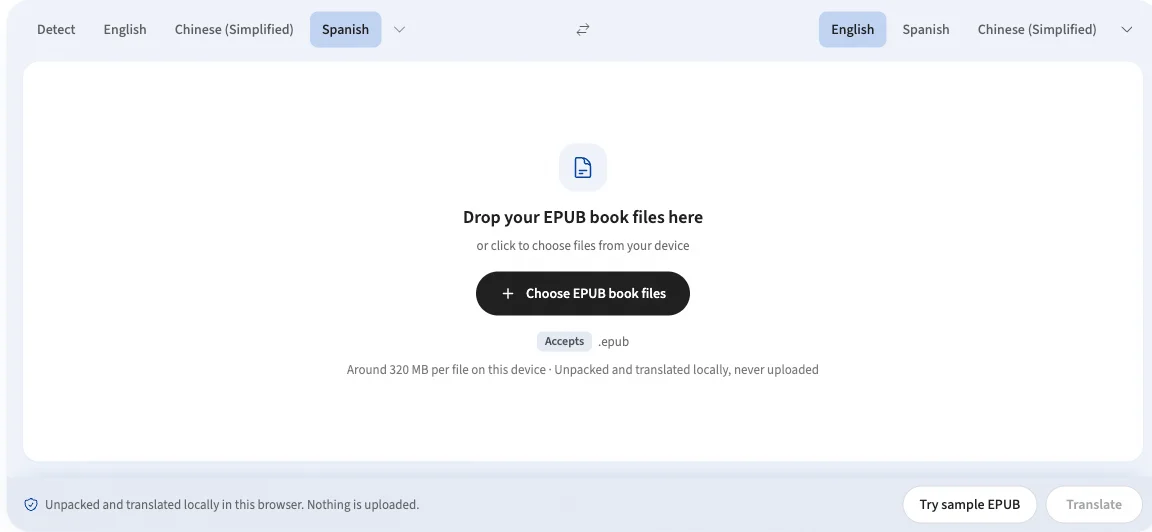
Drop your .epub file into the panel above, or test the workflow with the sample guide.
Select the source and target languages. On first use, approve the one-time local AI model download.
Keep this tab open while the book translates. When finished, download the EPUB and open it in your favorite e-reader app.
How an EPUB book is unpacked, translated and reconstructed locally.
The internal OPF package file, spine order and navigation document are parsed carefully and preserved.
Sentences interrupted by emphasis or span tags are merged before translation to avoid broken grammar.
Font declarations, margins, drop caps and chapter heading styles remain exactly as designed.
Embedded images, maps, diagrams and cover artwork are copied through directly to the new archive.
Curious about archive rebuilding? Read how document and archive translation works.
Expand your reading horizon without compromising sensitive manuscripts.
Read books, memoirs and non-fiction titles that have never received an official commercial translation in your language.
Translate early drafts, embargoed review copies and client submissions with guaranteed confidentiality.
Translate a book you already know, then read the original and translated version side by side across your devices.
Study foreign research publications and open-access books at your own pace with local translation models.
Full book manuscripts are sensitive intellectual property. This EPUB translator runs locally inside your browser tab — no data is sent to a remote translation server.
After downloading the language model on your first run, translations can proceed completely offline. Read why private translation matters.
Practical answers to common questions about book translation and formatting.
An EPUB translator translates the text of an electronic book while preserving its chapter hierarchy, styling, table of contents and cover art. This tool unpacks the book archive in your browser, translates chapters with on-device AI, and rebuilds a downloadable .epub file ready for e-readers.
Drop your .epub file into the translator panel above, select your source and target languages, and click Translate. An EPUB is a zip archive of XHTML and CSS, so it is unpacked and translated entirely in your browser. The book never leaves your machine.
Translation time depends on the book’s length, language pair and your device. A whole novel takes longer than the short sample. Progress appears in the panel as it runs. Keep this tab open until you have downloaded the result; reloading or closing the page clears the current session.
Yes. An EPUB contains structured XHTML files and stylesheets. Only the human-readable text inside the markup is modified. The table of contents, chapter splits, block quotes, illustrations, cover art and CSS styles all survive intact.
No. DRM-protected books bought from commercial e-book stores are encrypted. This EPUB translator works on standard DRM-free EPUB files, including public domain books, independent store purchases, research publications and personal manuscripts.
Yes. Tick "Bilingual book (original + translation)" before you download and every paragraph keeps its original text and the translation appears on the line below it, inside the same chapter. Leave it unticked for a translation-only book that replaces the original text.
Yes. Manuscripts under embargo, pre-release drafts and client documents are exactly the files that should never be sent to cloud translation servers. Because LangsAny operates 100% locally in your browser, your writing remains completely confidential.
Choose an EPUB book and translate it privately in your browser with formatting intact.
Choose an EPUB book