Translate a Bilingual EPUB
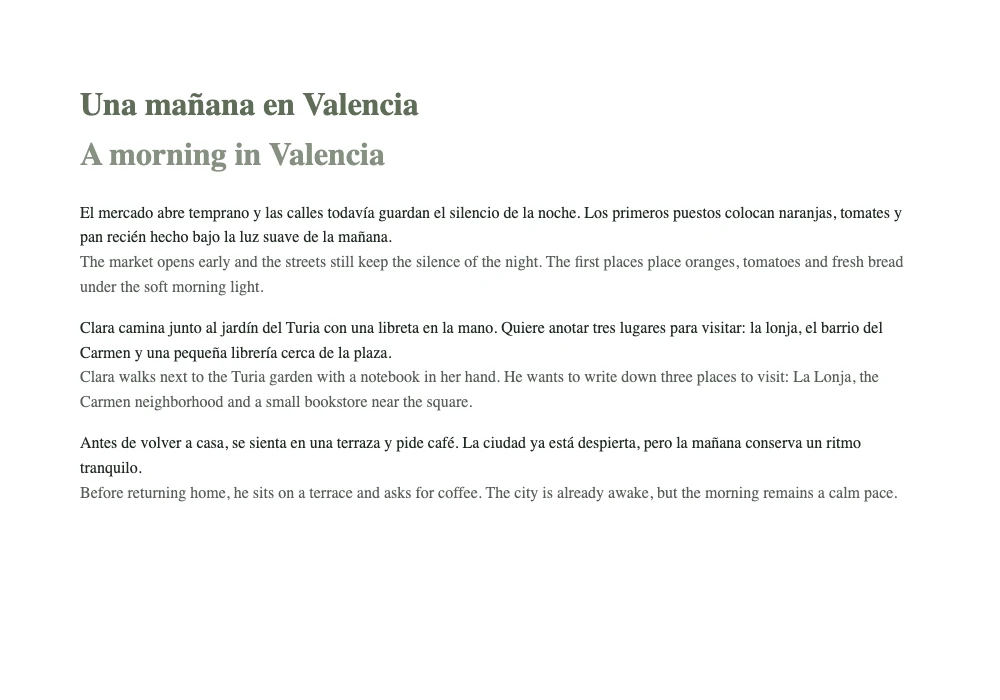
To translate an EPUB and keep the original beside the translation, open the EPUB translator, choose a DRM-free book, translate it, and select Bilingual book (original + translation) before downloading. No account or book upload is needed. Start with a short sample to check the result on your device.
Try the sample book
Our Spanish sample, Una mañana en Valencia, contains one short chapter about a morning at the market and a walk beside the Turia garden. It is small enough to check the complete workflow without committing a full novel. The sample button selects Spanish to English for you.
These files are a practice example, not a speed or accuracy benchmark. The generated example was checked on October 24, 2026. Other browsers, engines and model versions may produce different wording.
Choose languages first
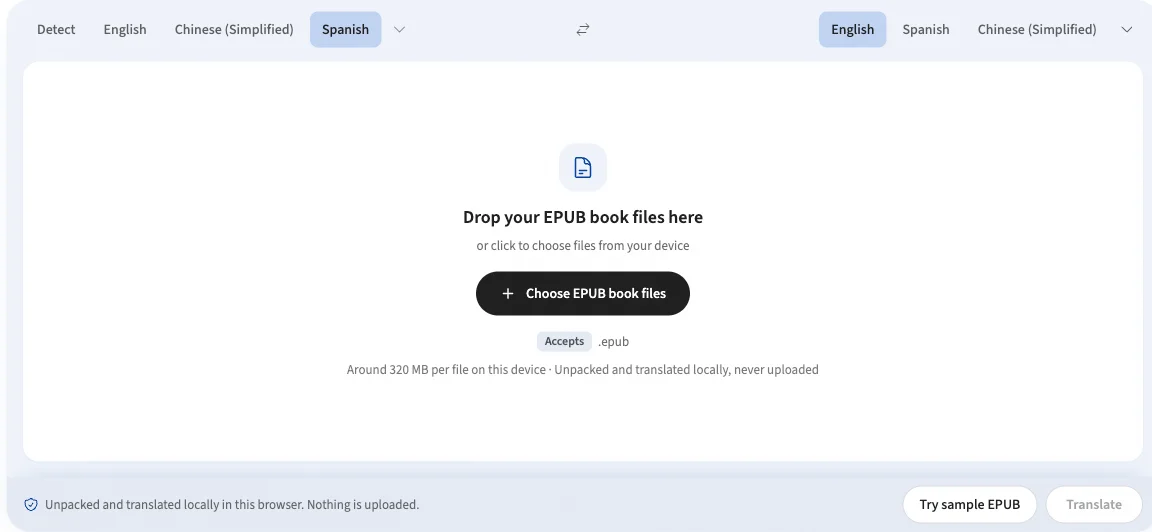
Open the tool and choose Try sample EPUB. Wait for the book to finish being read, check that the source is Spanish and the target is English, then choose Translate. For your own book, select the actual language of its text. Changing the target after a completed run requires a new translation; it does not rename or convert the old result.
Prepare the local model
A new language pair can require a model download. The confirmation explains the approximate size when the engine can report it; browser-managed models do not expose a reliable size. Approve the download on a stable connection. Your book stays on your device while model files arrive from their provider.
If preparation fails, keep the file in the panel, check your connection and retry. Stop pauses the work in the current tab; Continue translation resumes completed paragraphs for the same language pair. This is not a backup: closing or reloading the tab can lose the in-memory job. Download a finished result before leaving.
Export both languages
After the book is translated, select Bilingual book (original + translation)in the action bar, then use the download button beside the file. Each original paragraph is followed by its translated text inside the chapter. Leave the setting off for a translation-only EPUB. The switch in the reading preview below the tool is only a visual example; the action-bar checkbox controls the actual export.
Check meaning, not just layout
A file opening correctly does not mean its translation is publication-ready. In our sample, the model rendered Los primeros puestos
as The first places
, although market stalls fit the scene better. It also changed Clara’s next sentence to He wants
. The source and the surrounding context make these errors easier to spot in bilingual mode.
Review names, pronouns, idioms, numbers and technical terms against the original. Use local translation as a reading draft, and have important material reviewed by a qualified person. Styles and navigation are preserved by rebuilding the archive, but a specific reading app may display those styles differently.
Before a full book
- Use a DRM-free EPUB. Renaming a protected Kindle book or PDF to .epub does not convert it.
- Test the downloaded file in your own e-reader before translating a long book.
- Keep the tab open and your device awake. Long books require more time and memory.
- Prepare the page and language model online before travelling. Offline use depends on the required resources staying cached.
If the source is a PDF, use the PDF translator instead. For the archive details, see how document translation works.
References & further reading
- 01EPUB 3.3 — W3C specification for EPUB structure and contentwww.w3.org/TR/epub-33/
- 02EPUB Reading Systems 3.3 — W3C requirements for e-reader renderingwww.w3.org/TR/epub-rs-33/
- 03Chrome Translator API — on-device translation and model downloadsdeveloper.chrome.com/docs/ai/translator-api
- 04Opus-MT — open translation models by Helsinki-NLPgithub.com/Helsinki-NLP/Opus-MT
Try the sample EPUB
Translate locally, review the result and download both languages.
Open EPUB translator