International research papers
Review Korean academic preprints, scientific journals and conference papers in English with original figures intact.
Translate Korean PDF documents to English on your device. Layout, tables and formatting survive with private on-device translation.
Several at a time · around 40 MB each on this device · opened in this tab, never uploaded
Free to use · No account · No document upload
· Offline after model download
Translating a PDF from Korean to English requires more than converting words—it demands adapting script metrics, line densities and font encodings.
English is usually the most compact of the Western languages, so a translation into it tends to leave whitespace rather than overflow. Korean is currently supported as a source language, which covers the common case of reading a Korean report or paper in English.
Three steps, from your Korean file to a English translation.
Select or drag one or more Korean PDF files into the tool. They are parsed locally without upload.
The language pair is pre-set to Korean → English. On first use, approve the one-time model download.
Review with synced original comparison, hover peek under, or export as layout-preserved PDF or structured Markdown.
Maintain document presentation, tabular structures and mathematical symbols across languages.
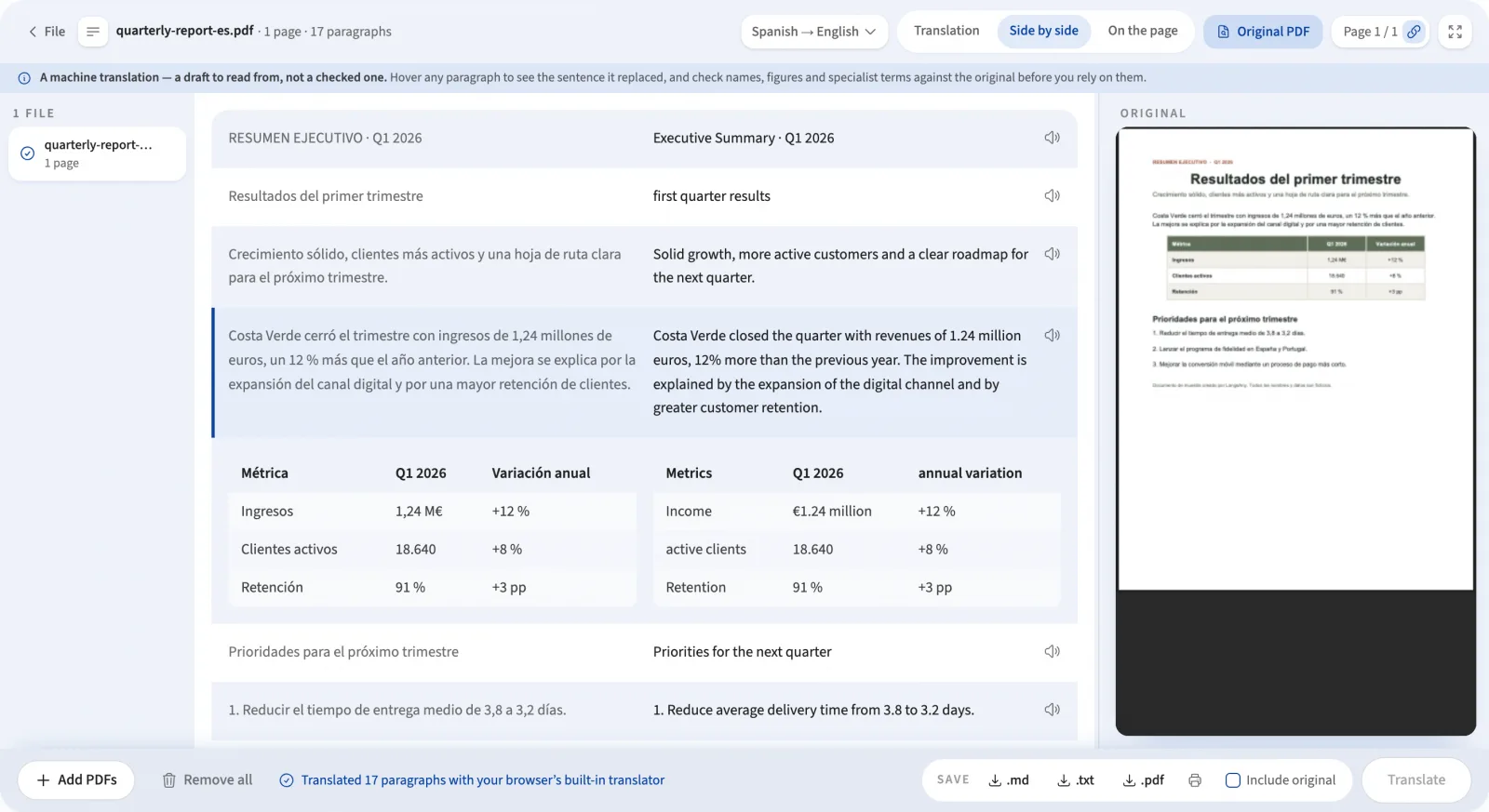
Adjusts text scaling and line heights automatically to prevent overflow in tight columns or captions.
Recognizes table structures before cutting columns, ensuring financial tables and figures stay aligned.
Protects mathematical equations, citation brackets [12] and code snippets with placeholders during translation.
Detects scan-only pages and uses local neural OCR with alphabet tuning before translation.
Learn more about geometry reassembly in how PDF translation works behind the scenes.
Tailored for professionals, researchers and students working across language boundaries.
Review Korean academic preprints, scientific journals and conference papers in English with original figures intact.
Translate contracts, certificates and administrative filings while comparing specific clauses side by side.
Read specifications and product documentation with exact diagrams and table numbers preserved.
Study foreign educational materials with instant hover peek to verify terminology and build language fluency.
Contracts, financial reports, personal records and unpublished manuscripts are too confidential to upload to remote translation servers.
LangsAny parses the PDF, translates paragraphs, and renders the output completely in your local browser tab. Read why private translation matters.
Practical answers about translating Korean documents to English.
A Korean to English PDF translator extracts text glyphs from your Korean document, translates them into English using local AI, and renders the translated text directly back into the original layout. Everything runs in your browser without uploading the file.
Drop your file into the tool above. The language selector is already locked to Korean → English. The document is read with pdf.js, grouped into complete paragraphs, and translated by on-device models. No server requests carry your content.
English is usually the most compact of the Western languages, so a translation into it tends to leave whitespace rather than overflow. The on-page reader scales font sizes proportionally within original bounding boxes to keep the translated English layout faithful without text clipping.
Korean is currently supported as a source language, which covers the common case of reading a Korean report or paper in English. Clean digital exports from word processors or desktop publishers produce high-accuracy results. Scanned pages are automatically detected and processed via on-device OCR.
The translation model runs directly on your machine via WebAssembly or Chromium's built-in translator. Once cached, you can translate Korean documents to English with no internet connection.
The reader provides three views: Side by side pairs every translated paragraph next to its Korean original with synchronous cursor highlighting; On the page overlays the translation with instant hover peek to reveal original text; and Translation provides clean reading text.
Yes. Client contracts, medical documents, research papers and internal reports never leave your computer. You can monitor your browser DevTools Network tab during translation to confirm zero file uploads.
Explore direct and pivoted local document translation pairs.
Bring your Korean document and experience private on-device translation with layout intact.
Translate Korean PDF