Free private local Russian image translator
Translate Russian text in photos and screenshots directly in your browser. On-device OCR and local neural translation with zero cloud uploads.
Drop photos or screenshots here
Select multiple PNG, JPEG, WebP, GIF or BMP files. Everything is read in your browser with zero cloud uploads.
Free to use · No account · No image upload
· Offline after model download
What this Russian image translator does
Translating Russian text inside an image requires extracting written script metrics, isolating word bounding boxes, and mapping them into grammatical sentences before machine translation.
Cyrillic is supported as well as Latin, with one persistent trap: several letters are visually identical to Latin ones (А, В, Е, О, Р, С), and a recogniser given the wrong language will silently produce a mixture that translates into nonsense. Selecting Russian here is what prevents that. Documents, product labels and street signage. Russian text set in condensed faces is the harder case, since letterforms sit close enough to touch at low resolution.
Read how in-tab character detection functions in how image translation works, or understand why private translation matters for confidential documents.
- Local Russian optical character recognition
- Words are detected and extracted directly on your GPU or CPU using a {pack.mb} MB {language.name} language model. Zero image bytes leave your machine.
- Dual reading perspectives
- Examine translations drawn seamlessly across original picture coordinates, or switch to side-by-side mode to verify the extracted Russian sentences line by line.
- Client-side privacy & zero uploads
- Personal snapshots, travel receipts, and sensitive screenshots are decoded directly onto a private canvas inside this browser tab.
How to translate a Russian image
Three straightforward steps from your Russian picture to a verified translation.
Add your Russian image
Drop photos or screenshots, paste from your clipboard with Ctrl+V, or snap a picture with your phone camera. Process multiple images without server queues.
Translate into English
Source is locked to Russian. On your first run, approve the one-time model download ({pack.mb} MB) for offline on-device processing.
Read, compare & export
Inspect translations drawn directly over the image, review side-by-side with synchronized paragraph highlights, and export as PNG or structured Markdown.
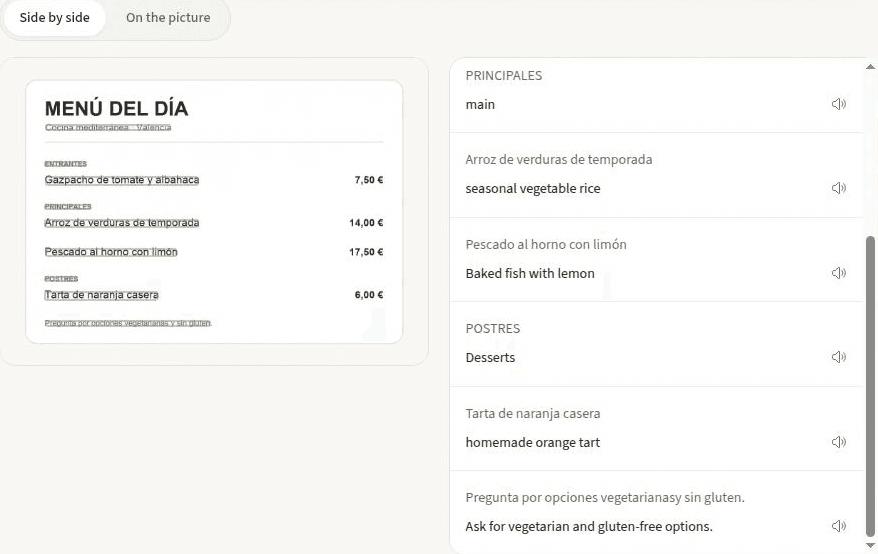
Inspect Russian translations with layout intact
Different images require different reading strategies. Switch between viewing perspectives with one click to check translations against the source.
On the picture
Translated text is rendered directly over original Russian words on matching background patches. Hover any sentence to peek at the original wording underneath.
Side by side
Review detected Russian text alongside its English translation. Hovering any line highlights its matching bounding box on the original image with speech playback.
Clean text
Read structured paragraphs without image clutter. Perfect for copying clean text or downloading Markdown and TXT files.
Privacy guarantees and Russian recognition limits
Here is what this system handles best and where on-device processing encounters realistic limits.
- Optical quality governs Russian recognition accuracy
- OCR processes raw pixels directly. Motion blur, angled shots, glare on glossy menus, and curved packaging surfaces can degrade character extraction. Positioning your camera perpendicular to the Russian text yields optimal results.
- Printed type versus handwritten notes
- The on-device OCR engine is optimized for printed fonts, computer screenshots, and clear signs. Calligraphic cursive or artistic fonts may yield reduced recognition confidence.
- Zero data transmission guarantee
- Processing runs inside your browser sandbox. Your Russian photos, receipts, and screenshots never travel over the network, making it safe for personal and enterprise documents.
Russian image translation FAQ
Common questions about translating Russian images and photos locally in your browser.
What is a Russian image translator?
A Russian image translator detects written words in pictures containing Russian text and translates them into English or other languages. Instead of uploading your personal files to external vision clouds, this private tool executes optical character recognition and neural machine translation directly within your browser.
How do I translate Russian text in an image without uploading?
Drop, paste with Ctrl+V, or photograph your picture above. The source language is pre-set to Russian. Text coordinates are extracted via client-side OCR and translated into English by an on-device model. Monitor your browser DevTools Network tab to verify that zero image bytes leave your device.
How well does OCR recognise Russian in a photo?
Cyrillic is supported as well as Latin, with one persistent trap: several letters are visually identical to Latin ones (А, В, Е, О, Р, С), and a recogniser given the wrong language will silently produce a mixture that translates into nonsense. Selecting Russian here is what prevents that. The first run downloads the Russian recognition package ({pack.mb} MB) and translation weights, which are cached in browser storage for permanent offline use.
What kind of Russian images produce the best results?
Documents, product labels and street signage. Russian text set in condensed faces is the harder case, since letterforms sit close enough to touch at low resolution. Whatever the subject, a sharp, straight-on photograph with balanced lighting maximizes character extraction accuracy.
Can I inspect translations drawn directly over the Russian picture?
Yes. In the On the picture view, translations are rendered over original bounding boxes on matching background patches. Hovering any sentence reveals the original Russian text beneath. You can also switch to Side by side view for synchronized paragraph comparison.
Is it safe for confidential documents or work screenshots?
Yes. Because the software contains no backend upload endpoints, sensitive receipts, medical prescriptions, internal company dashboards, and private chat logs remain strictly on your local machine.
Other image translation languages
Specialized on-device language packages tailored to specific alphabet systems and writing scripts.
More ways in: photo translation · screenshot translator · how image translation works
Translate text with this free Russian image translator
Drop a photo, paste a screenshot with Ctrl+V, or snap a picture to start translating Russian immediately on your device.