إضافة Chrome · مجانية
Linear.app باللغة العربية ولغتك الأم
إضافة Chrome مجانية تترجم واجهة Linear.app إلى 24 لغة بما فيها العربية. تتبع لغة متصفحك وتعمل محليًا بالكامل داخل جهازك.
The same Linear.app screen, in the language you think in
One capture of the Linear.app preferences page, taken four times with the extension set to a different language. Same account, same URL, same layout — only the interface text changes.
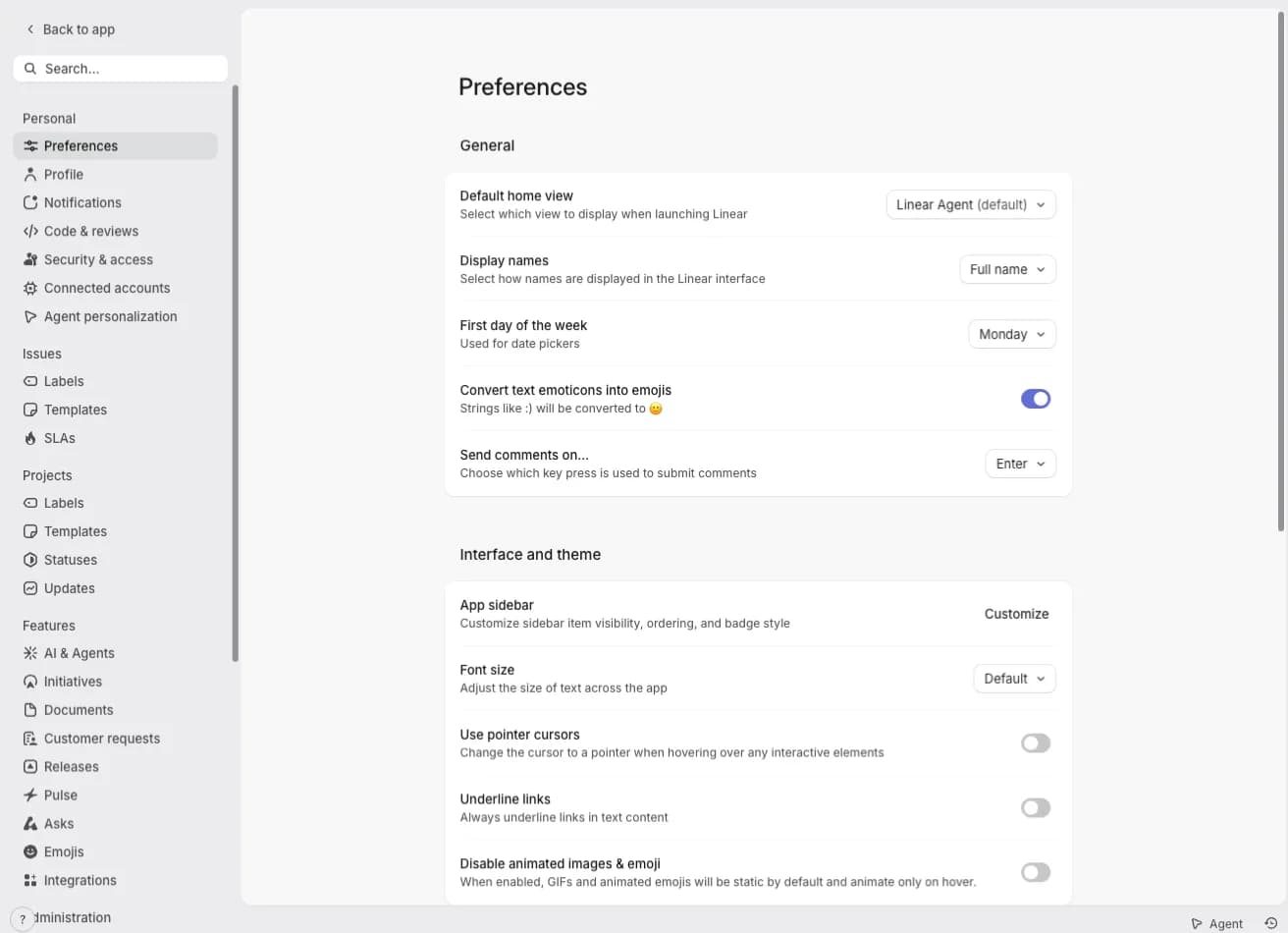
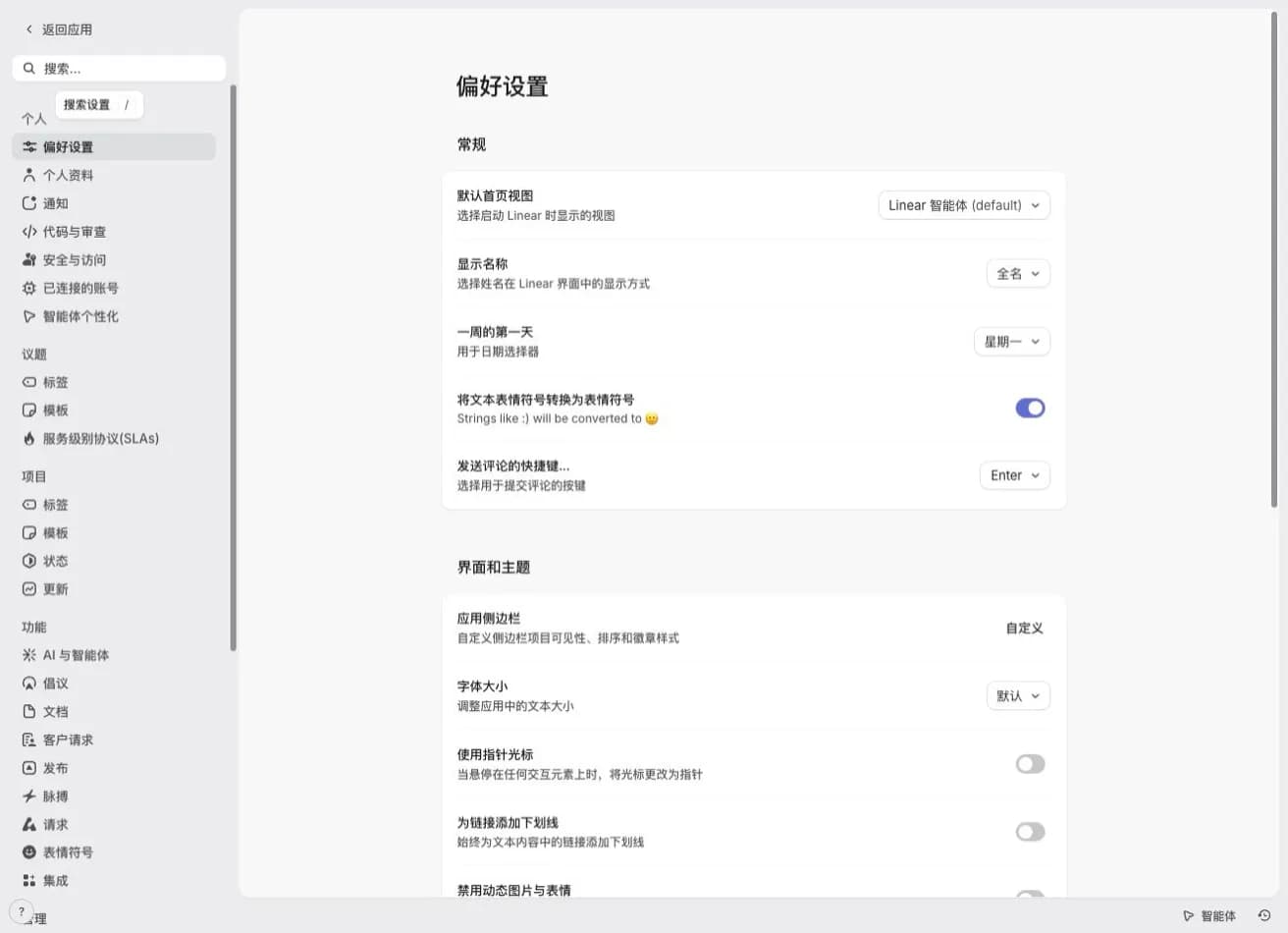
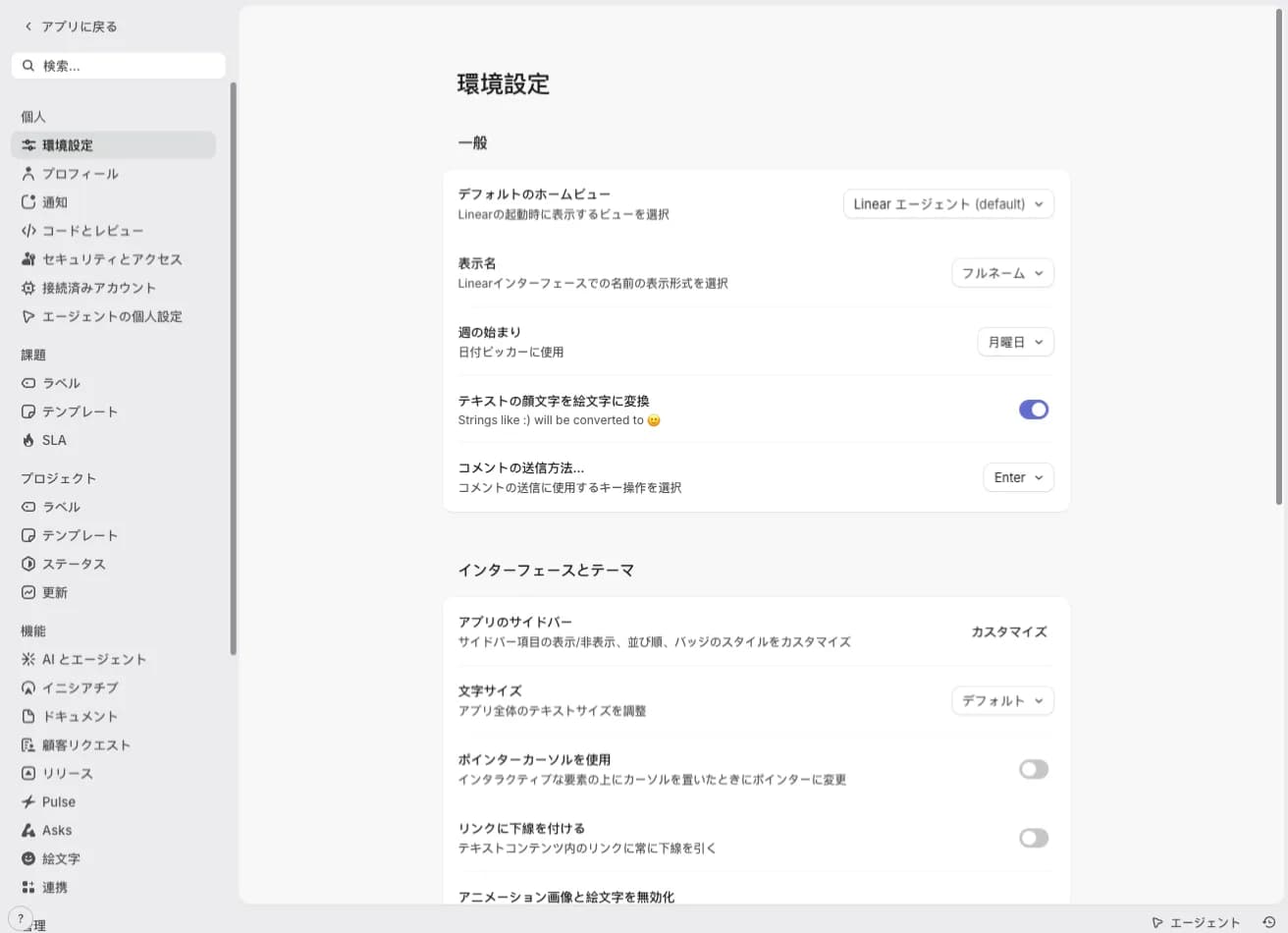
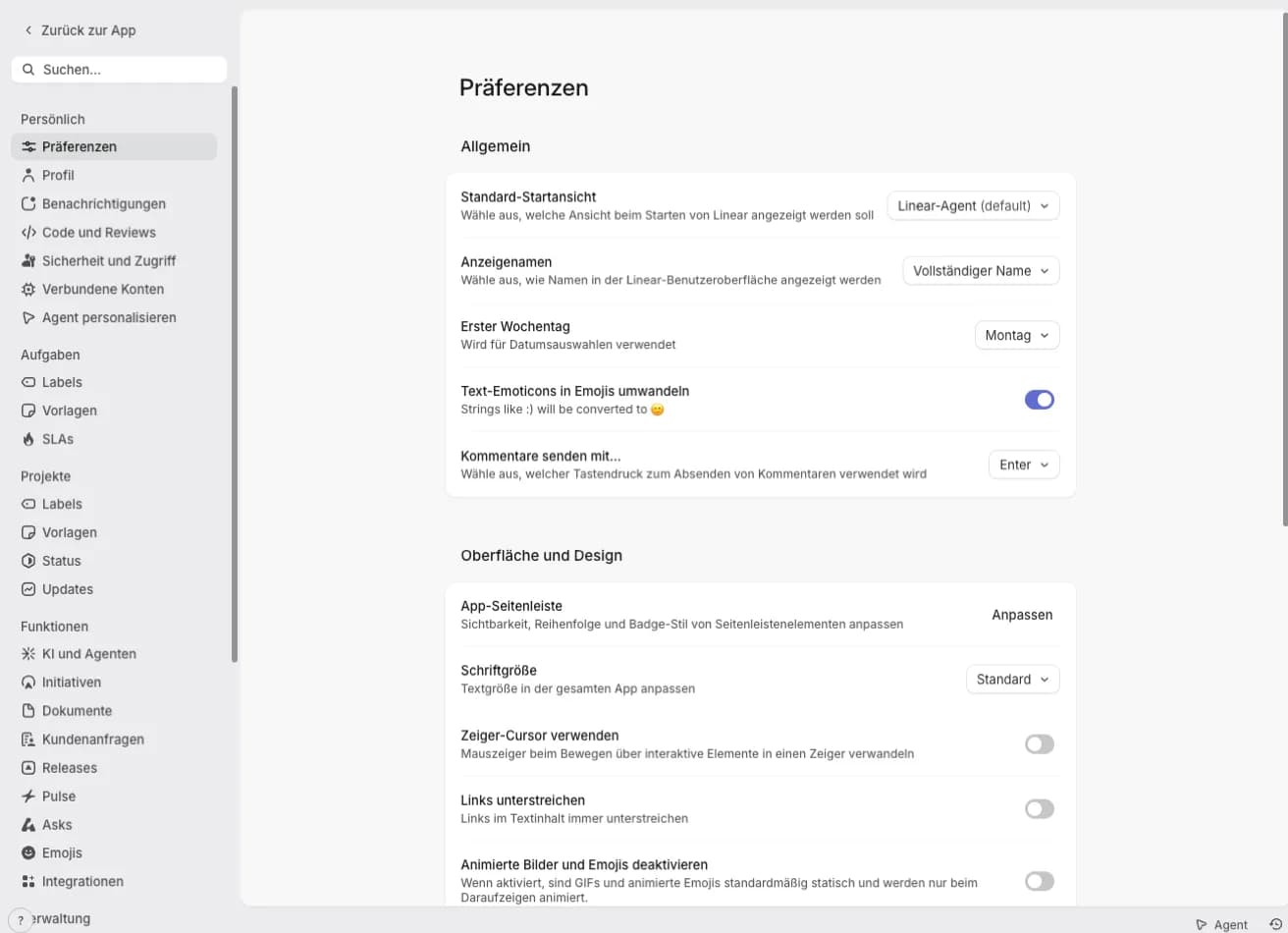
The original Linear.app interface, untouched. Choosing English restores every string the extension replaced.
Built for a tool you keep open all day
Linear.app is a keyboard-driven app with menus that appear and vanish. A translation layer for it has to keep up without getting in the way.
Follows your browser language
On the first run the extension reads Chrome’s preferred-language order and picks the closest match, including regional tags and Traditional Chinese. Nothing to configure: open Linear.app and the interface is already translated.
Menus and dialogs, not just labels
Linear.app builds most of its interface on the fly. The extension watches for new nodes and translates command menus, context menus, filter panels and modals in the frame after they open, with no page refresh.
Switch language without losing your place
Pick another language from the toolbar icon and every open Linear.app tab re-renders in place. Choosing English restores the original strings from the copies kept in memory, so nothing is left half-translated.
Your issues stay exactly as written
Only interface strings are replaced. Issue titles, descriptions, comments, documents, code blocks, editor content and variable names are skipped, so your workspace text reads the way your team wrote it.
Translated where the work happens
Real Linear.app pages, captured with the extension running. Nothing here is a mockup.
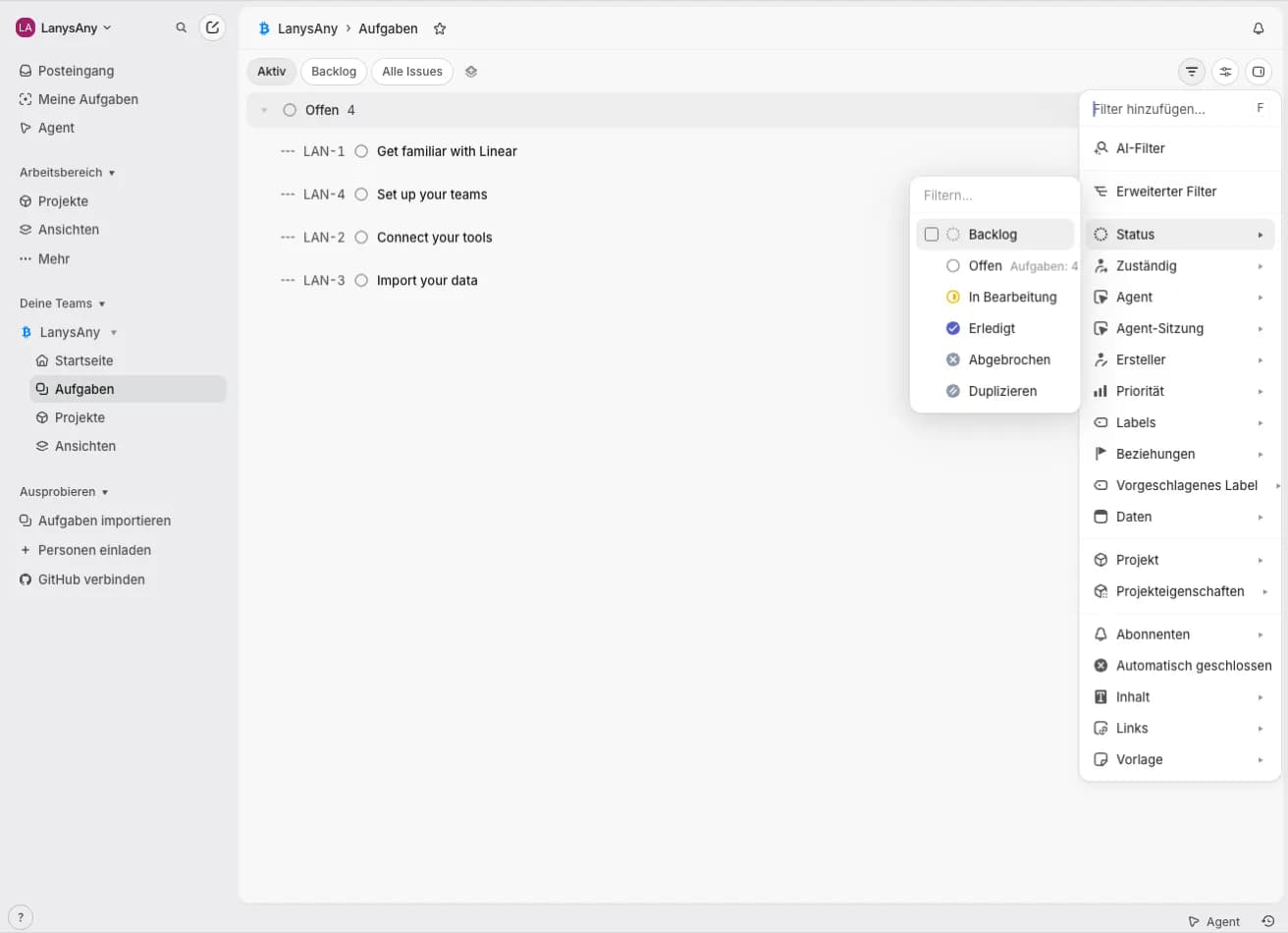
Navigation and filters
Sidebar, views, the status filter and the whole “Add filter” menu — the controls you touch a hundred times a day, in German.
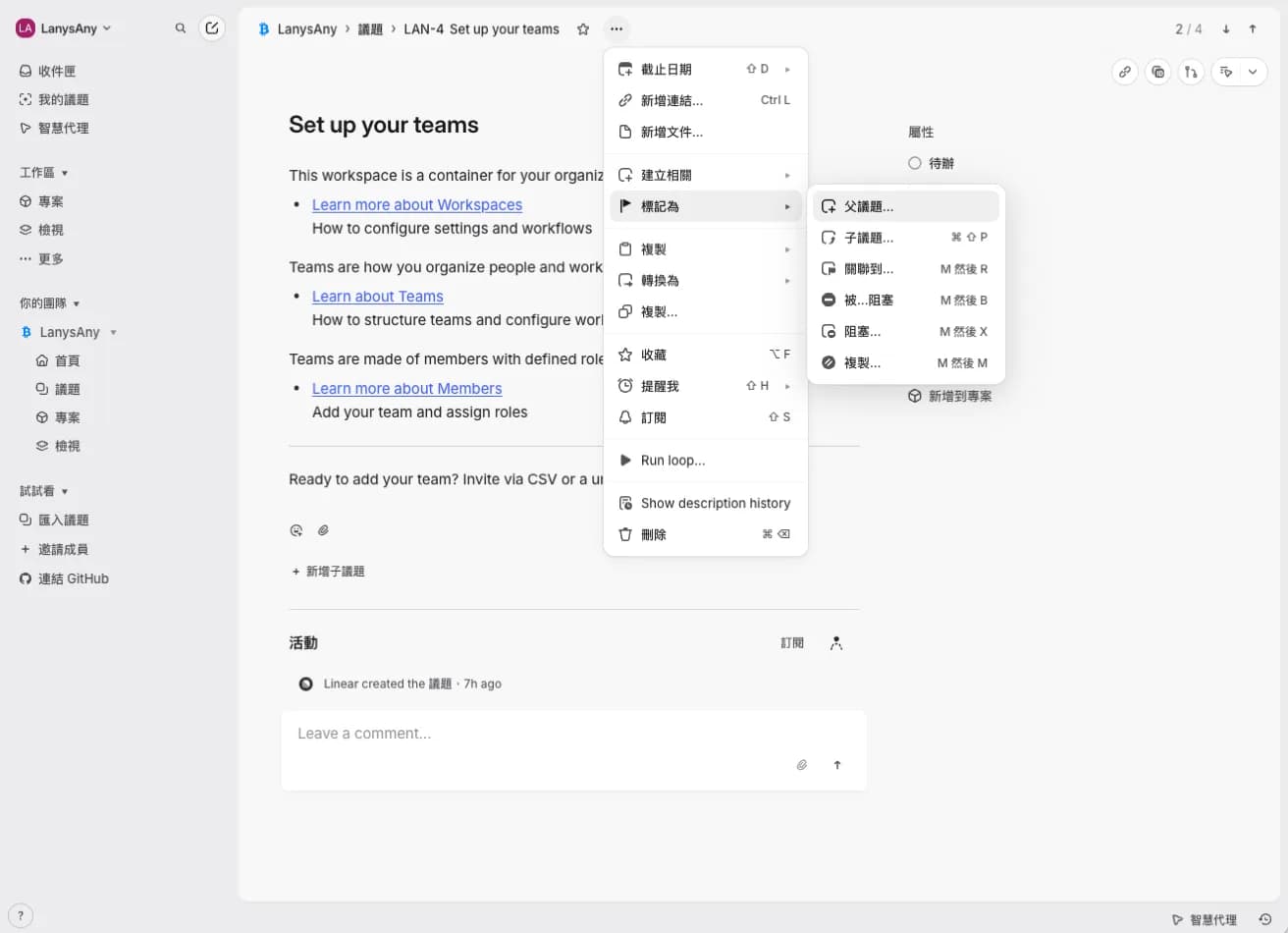
Issue actions as they open
A nested action menu in Traditional Chinese. The issue title beside it stays in the language it was written in — translation stops at the interface.
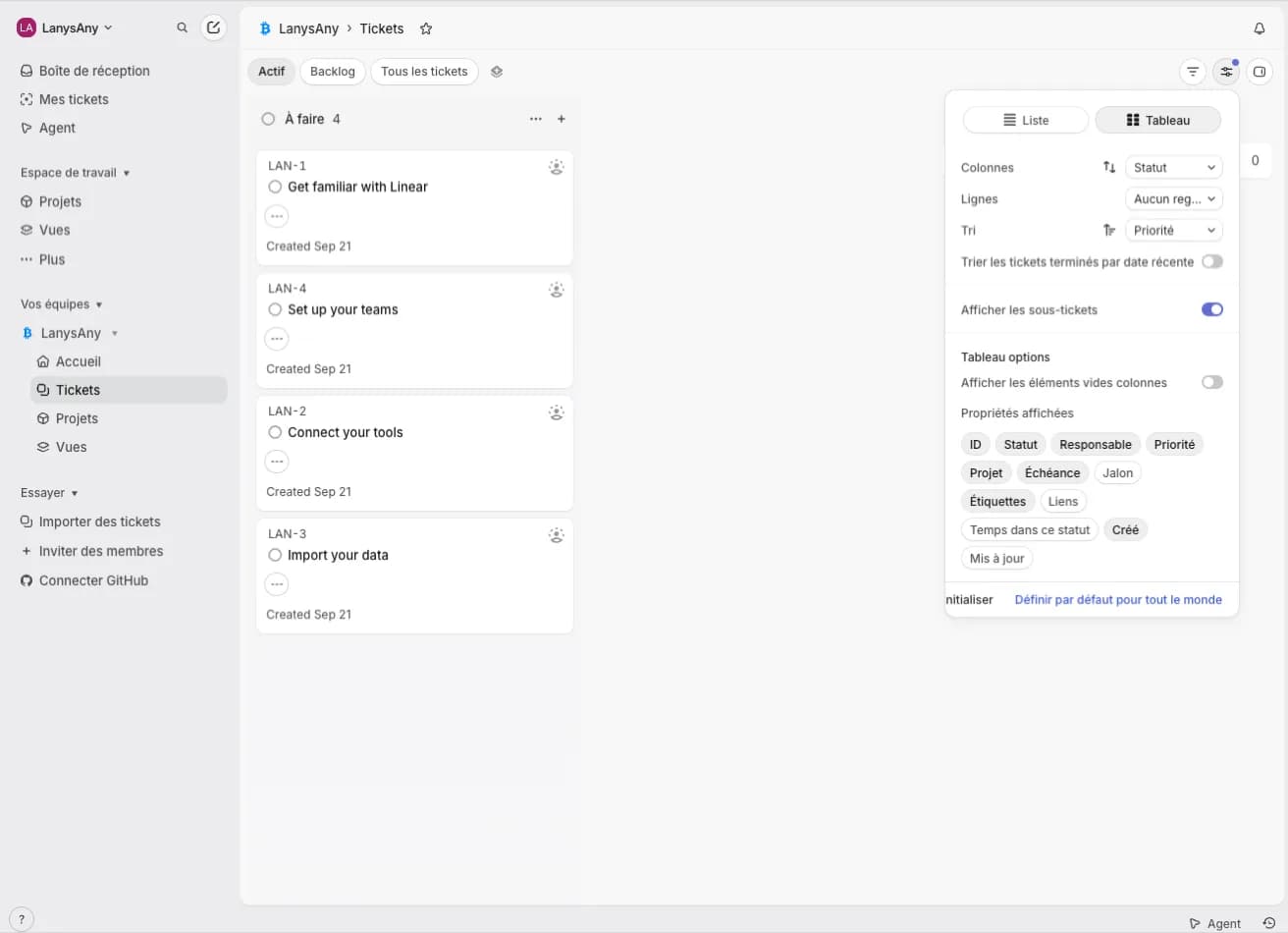
Display options and board view
Grouping, ordering and display properties in French, including the short labels Linear.app packs into chips.
Install the Linear.app translator in under a minute
No account, no configuration, no onboarding tab that hijacks your window.
- 01
Add it to Chrome
Open the Chrome Web Store listing and click Add to Chrome. The extension asks for storage and access to linear.app — nothing else.
- 02
Refresh your Linear.app tab
Any tab opened before the install needs one reload for the content script to attach. Tabs you open afterwards pick it up on their own.
- 03
Pick a language, or let it follow Chrome
Click the toolbar icon to choose from the 24 options, or leave it on Follow browser language. Your choice is remembered per browser profile.
24 languages for the Linear.app interface
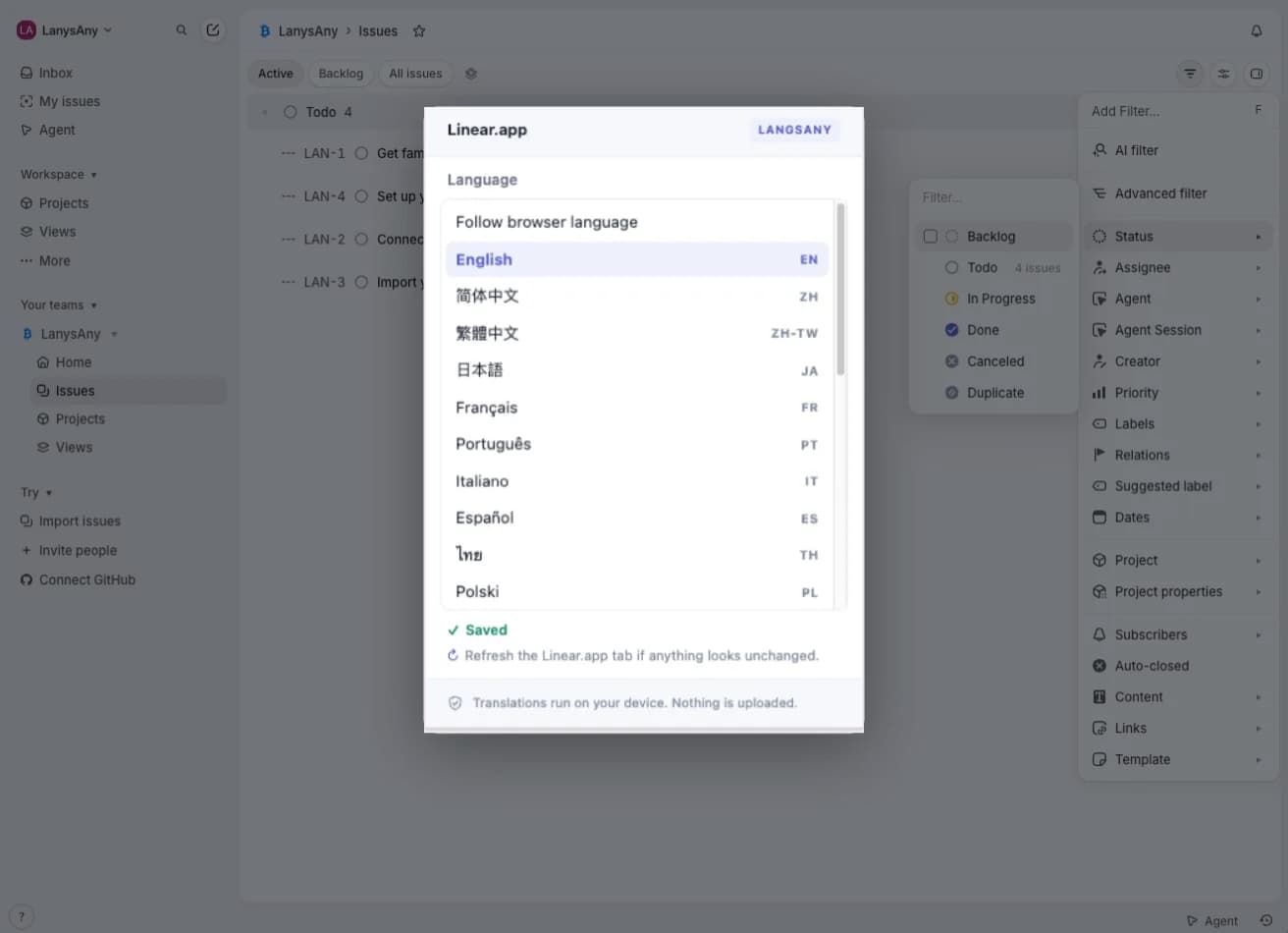
Every option carries the same 2,367-entry dictionary. Pick one from the toolbar, or leave the extension on Follow browser language and it matches Chrome — including regional tags like zh-HK, nb and pt-BR.
- EnglishThe original interfaceEN
- 简体中文Linear.app in Simplified ChineseZH
- 繁體中文Linear.app in Traditional ChineseZH-TW
- 日本語Linear.app in JapaneseJA
- 한국어Linear.app in KoreanKO
- FrançaisLinear.app in FrenchFR
- DeutschLinear.app in GermanDE
- EspañolLinear.app in SpanishES
- PortuguêsLinear.app in PortuguesePT
- ItalianoLinear.app in ItalianIT
- NederlandsLinear.app in DutchNL
- PolskiLinear.app in PolishPL
- РусскийLinear.app in RussianRU
- УкраїнськаLinear.app in UkrainianUK
- DanskLinear.app in DanishDA
- NorskLinear.app in NorwegianNO
- SvenskaLinear.app in SwedishSV
- SuomiLinear.app in FinnishFI
- TürkçeLinear.app in TurkishTR
- Bahasa IndonesiaLinear.app in IndonesianID
- Tiếng ViệtLinear.app in VietnameseVI
- हिन्दीLinear.app in HindiHI
- ไทยLinear.app in ThaiTH
- العربيةLinear.app in ArabicAR
Local dictionaries, no API calls, no account
A translation extension sees everything on the page, which is a lot to ask of a tool that sits on your company’s issue tracker. This one answers it by never talking to a server: the dictionaries are files inside the extension, the matching runs in your browser, and there is no remote code to load.
It is the same principle behind the rest of LangsAny’s in-browser translation tools: the work happens on your machine, so there is nothing to log.
- Two permissions, both narrow
- Access to linear.app pages, and storage to remember your language. No history, no tabs, no other site.
- No network requests
- Dictionaries are files inside the extension, read over chrome-extension:// when you pick a language. No server is contacted and no remote code is loaded.
- Nothing is collected
- No analytics, no account, no sign-in. Your issues, comments and documents are never read for translation.
- Readable source
- The content script is a few hundred unminified lines under GPL-3.0. Unpack it from chrome://extensions and read it.
What this extension does not do
- It does not translate your content. Issue titles, descriptions, comments and documents are left alone — for those, use the LangsAny translator.
- It does not cover every string. Roughly 2,367 interface entries per language cover the daily surface; long-tail settings copy stays in English instead of being guessed at.
- It is not a Linear product. LangsAny builds and maintains it independently; it is not affiliated with, endorsed by or sponsored by Linear.
- It is Chrome-first. The package is built and tested for Google Chrome; Firefox and Safari are not supported.
Linear.app translation: frequently asked questions
Languages, privacy, performance and what happens to the extension you already had installed.
How do I translate the Linear.app interface into my language?
Install the extension from the Chrome Web Store, then refresh any open Linear.app tab. On first run it follows your browser language, so if Chrome is set to Japanese the interface appears in Japanese immediately. To choose a different language, click the extension icon in the toolbar and pick one of the 24 options — open Linear.app tabs update in place, without a reload.
Does Linear.app have a built-in language setting?
No. Linear.app ships an English-only interface and offers no in-app language switch, which is why translating it has to happen in the browser. This extension replaces interface text inside the page you already have open, so you keep the same workspace, the same URL and the same keyboard shortcuts.
Which languages are supported?
Twenty-four options: English (the original interface), Simplified Chinese, Traditional Chinese, Japanese, Korean, French, German, Spanish, Portuguese, Italian, Dutch, Polish, Russian, Ukrainian, Danish, Norwegian, Swedish, Finnish, Turkish, Indonesian, Vietnamese, Hindi, Thai and Arabic. Each one is a dictionary of 2,367 interface strings bundled inside the extension.
Does it translate my issues, comments and documents?
No. The extension only replaces interface strings it has in its dictionary. Editors, code blocks, elements marked as untranslatable, issue titles in links and project card headings are skipped, and input values are never rewritten. Your workspace content stays exactly as your team wrote it.
Is any of my workspace data uploaded?
No. The dictionaries ship inside the extension and translation runs entirely in your browser, so there are no API calls and no remote code. The extension requests two things: access to linear.app pages, which it needs to read and replace the interface text, and storage, which remembers the language you picked.
Will it slow Linear.app down?
It is built to stay out of the way. Only changed text, attributes and newly added subtrees are processed rather than the whole page on every mutation, work is budgeted to roughly 4ms and 600 nodes per frame, background tabs are paused, and in English mode the observer disconnects entirely once the original text is restored.
Can I go back to the original English interface?
Yes, at any time. Choose English in the picker and every replaced string is restored from the original text the extension kept in memory. Nothing about your Linear.app account or workspace settings changes — the switch only affects what your own browser renders.
How complete is the translation?
Each language carries the same 2,367-entry dictionary, covering navigation, views, issue and project actions, filters, command menus, agent entry points and the preferences pages. Long-tail settings copy that is not in the dictionary stays in English rather than being machine-translated on the spot. Traditional Chinese is generated from the Simplified set with Taiwanese term conversion, with common phrases checked by hand.
Does it work in Edge, Brave or Arc?
It is built and tested for Google Chrome and distributed through the Chrome Web Store. Chromium-based browsers that can install Chrome Web Store items use the same package, but they are not part of the tested set, and Firefox and Safari are not supported.
Is it the same extension as LinearCN?
Yes. LinearCN was the Simplified-Chinese-only version; version 2.0 keeps the same Chrome Web Store item and adds the other 23 languages, so existing users are upgraded in place and keep Chinese unless they choose something else.
What does it cost?
Nothing. There is no account, no sign-in, no paid tier and no telemetry.
استخدم Linear.app بلغتك المفضلة اليوم
مجاني بالكامل وبدون حساب. قم بالتثبيت وحدّث صفحة Linear.app لتبدأ فورًا.
Linear و Linear.app علامتان تجاريتان لمالكيهما.